> ## Documentation Index
> Fetch the complete documentation index at: https://docs.minestorecms.com/llms.txt
> Use this file to discover all available pages before exploring further.
# Upgrading from 3.4.5 to 3.5.0
> Learn how to upgrade your MineStoreCMS from version 3.4.5 to 3.5.0.
## Introduction
**MineStoreCMS** version **3.5.0** is a **major release** that includes **new features**, **improvements**, and **bug fixes**. This guide will help you to **upgrade your webstore** from version **3.4.5** to **3.5.0**.
 ## New Global Features
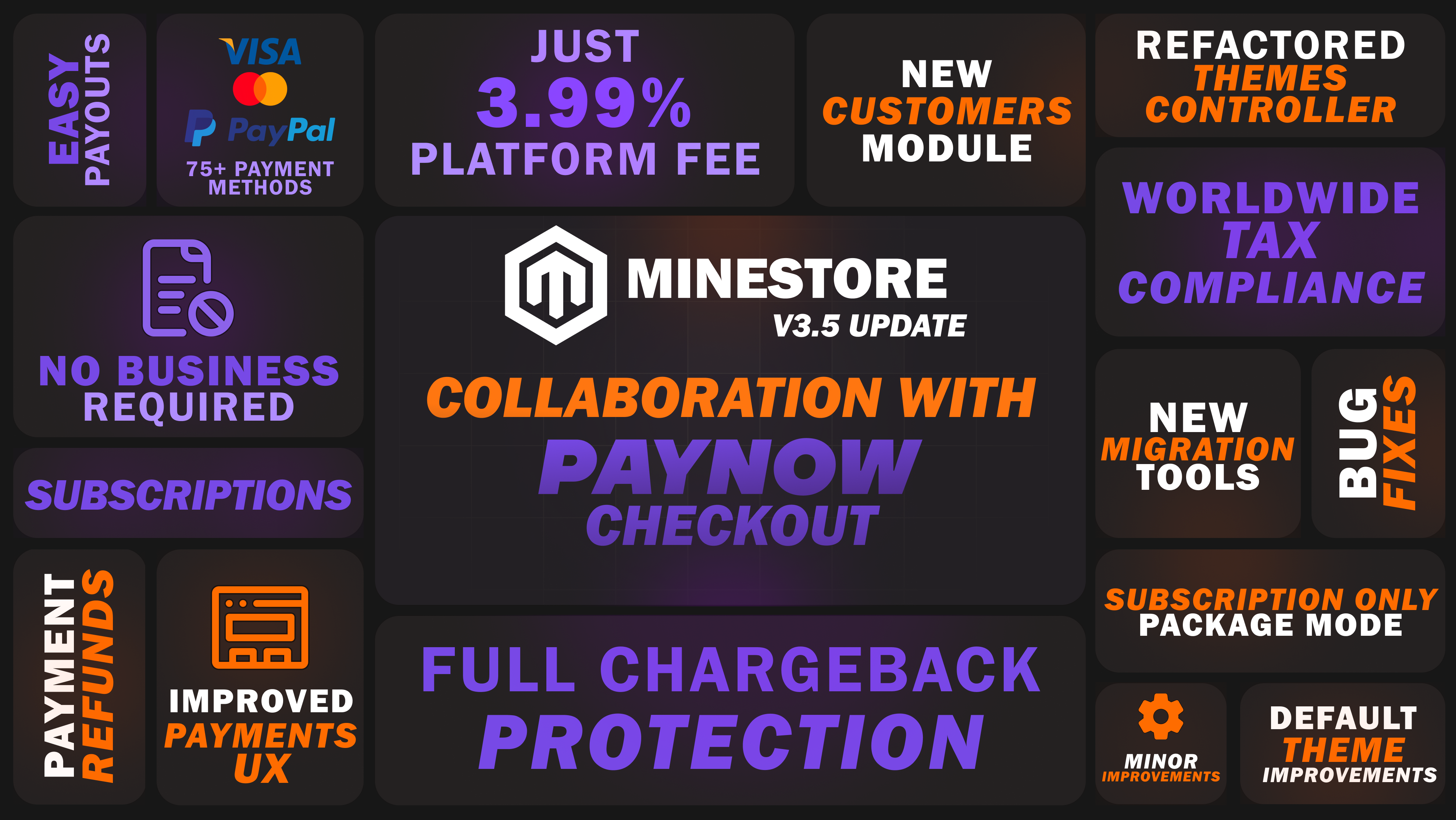
The **MineStoreCMS 3.5.0** includes the following new features:
* **PayNow Checkout**: A new payment gateway that provides **Full Chargeback Protection** and **Global Tax Compliance**. It allows you to accept payments from customers worldwide.
* **New Customers Module**: A new module that allows you to manage your customers more effectively. You can now view customer details, purchase history, subscriptions, chargebacks, and more.
* **Subscriptions Only Mode**: Specify only subscription packages to be available for purchase in your store. Without **"Regular Payment"** option at the same time.
* **Migration Tools**: Easily migrate from **Tebex** to **MineStoreCMS** with the new migration tools. This feature allows you to import your packages, categories, and packages from **Tebex** to **MineStoreCMS**.
* **Payments/Subscription UX Improvements**: Improved user experience for payments and subscriptions, making it easier for you to refund payments and close subscriptions directly from the dashboard.
* **Minor Improvements**: Such as improved **Default Theme**, **Refactored Important Controllers**, and **Bug Fixes**.
## Upgrade Steps
To upgrade your **MineStoreCMS** from version **3.4.5** to **3.5.0**, follow these steps:
1. Run **Automatic Updater** from the **Admin Panel**.
2. Install the **new dependencies** by running the following commands in the terminal:
```bash theme={null}
bash <(curl -s https://minestorecms.com/res/updater_v350.sh)
```
3. **Update the Theme** to the latest version: `Themes > Upgrade` **(KEEP IN MIND: IT WILL OVERWRITE YOUR CUSTOM CHANGES IN THE THEME!!!)**. If you have made custom changes to the theme, you will need to reapply them after the update.
4. Update the [**Minecraft Plugin**](https://minestorecms.com/plugin) to the latest version on each server.
5. Done! Your **MineStoreCMS** is now upgraded to version **3.5.0**.
6. Go to **Themes** tab and upgrade your theme to the latest version. If you have made custom changes to the theme, you will need to reapply them after the update since your previous theme will be overwritten with the new one.
**Important**: Before proceeding with the upgrade, make sure to **backup your theme** since the upgrade will overwrite your current theme files.
### Upgrade Script Guide
The upgrade script is designed to automate the upgrade process and ensure that all necessary changes are applied to your **MineStoreCMS** installation.
After running the upgrade script by executing the command (run by using `root` user or `sudo`):
```bash theme={null}
bash <(curl -s https://minestorecms.com/res/updater_v350.sh)
```
## New Global Features
The **MineStoreCMS 3.5.0** includes the following new features:
* **PayNow Checkout**: A new payment gateway that provides **Full Chargeback Protection** and **Global Tax Compliance**. It allows you to accept payments from customers worldwide.
* **New Customers Module**: A new module that allows you to manage your customers more effectively. You can now view customer details, purchase history, subscriptions, chargebacks, and more.
* **Subscriptions Only Mode**: Specify only subscription packages to be available for purchase in your store. Without **"Regular Payment"** option at the same time.
* **Migration Tools**: Easily migrate from **Tebex** to **MineStoreCMS** with the new migration tools. This feature allows you to import your packages, categories, and packages from **Tebex** to **MineStoreCMS**.
* **Payments/Subscription UX Improvements**: Improved user experience for payments and subscriptions, making it easier for you to refund payments and close subscriptions directly from the dashboard.
* **Minor Improvements**: Such as improved **Default Theme**, **Refactored Important Controllers**, and **Bug Fixes**.
## Upgrade Steps
To upgrade your **MineStoreCMS** from version **3.4.5** to **3.5.0**, follow these steps:
1. Run **Automatic Updater** from the **Admin Panel**.
2. Install the **new dependencies** by running the following commands in the terminal:
```bash theme={null}
bash <(curl -s https://minestorecms.com/res/updater_v350.sh)
```
3. **Update the Theme** to the latest version: `Themes > Upgrade` **(KEEP IN MIND: IT WILL OVERWRITE YOUR CUSTOM CHANGES IN THE THEME!!!)**. If you have made custom changes to the theme, you will need to reapply them after the update.
4. Update the [**Minecraft Plugin**](https://minestorecms.com/plugin) to the latest version on each server.
5. Done! Your **MineStoreCMS** is now upgraded to version **3.5.0**.
6. Go to **Themes** tab and upgrade your theme to the latest version. If you have made custom changes to the theme, you will need to reapply them after the update since your previous theme will be overwritten with the new one.
**Important**: Before proceeding with the upgrade, make sure to **backup your theme** since the upgrade will overwrite your current theme files.
### Upgrade Script Guide
The upgrade script is designed to automate the upgrade process and ensure that all necessary changes are applied to your **MineStoreCMS** installation.
After running the upgrade script by executing the command (run by using `root` user or `sudo`):
```bash theme={null}
bash <(curl -s https://minestorecms.com/res/updater_v350.sh)
```
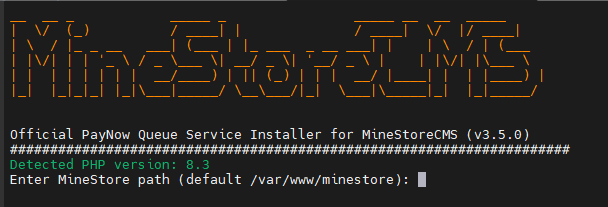 1. Enter your site path (e.g., `/var/www/minestore`) where your **MineStoreCMS** is installed. If you didn't change the default path, you can leave it empty and press **Enter**.
2. The script will check for the **MineStoreCMS** installation and prompt you to confirm the upgrade. Type `Y` and press **Enter** to proceed with the upgrade.
3. It will ask you for composer dependency installation. Press **Enter** to install the required dependencies.
4. The script will then proceed to update the database schema, clear the cache, and perform any other necessary updates.
5. Follow other installation instructions and read the results.
6. Once the upgrade is complete, you will see a success message indicating that your **MineStoreCMS** has been successfully upgraded to version **3.5.0**.
### Updating Nginx Configuration
You need this step **only if you received a warning about Nginx configuration failure** during the upgrade process.
Automatic updater will also update your **Nginx** configuration to ensure that it is compatible with the new version of **MineStoreCMS**. But if during the upgrade you face any issues with the Nginx configuration, you can manually update it by following these steps:
1. Open your Nginx configuration file for your webstore (usually located at `/etc/nginx/sites-enabled/minestore.conf`).
2. Add the following lines to the `location /` block, so it might look like this:
```nginx theme={null}
location / {
if ($limit = 0) {
set $limit_req_zone "";
}
proxy_pass http://localhost:3000;
proxy_set_header Host $host;
proxy_set_header X-Real-IP $remote_addr;
proxy_set_header X-Forwarded-For $proxy_add_x_forwarded_for;
proxy_set_header X-Forwarded-Proto $scheme;
}
```
3. Same for `location /_next/static/` and `location /static` blocks, so it might look like this:
```nginx theme={null}
location /_next/static {
#proxy_cache STATIC;
proxy_pass http://localhost:3000;
proxy_set_header Host $host;
proxy_set_header X-Real-IP $remote_addr;
proxy_set_header X-Forwarded-For $proxy_add_x_forwarded_for;
proxy_set_header X-Forwarded-Proto $scheme;
}
location /static {
#proxy_cache STATIC;
proxy_ignore_headers Cache-Control;
proxy_cache_valid 60m;
proxy_pass http://localhost:3000;
proxy_set_header Host $host;
proxy_set_header X-Real-IP $remote_addr;
proxy_set_header X-Forwarded-For $proxy_add_x_forwarded_for;
proxy_set_header X-Forwarded-Proto $scheme;
}
```
### Troubleshooting
If you face any issues during the upgrade process, you can **contact our support team** for help. We are always here to help you with any issues you face during the upgrade process.
## Useful Links
Download the official MineStoreCMS plugin for your Minecraft server.
Learn how to migrate from Tebex to MineStoreCMS using the new Migration Tools.
1. Enter your site path (e.g., `/var/www/minestore`) where your **MineStoreCMS** is installed. If you didn't change the default path, you can leave it empty and press **Enter**.
2. The script will check for the **MineStoreCMS** installation and prompt you to confirm the upgrade. Type `Y` and press **Enter** to proceed with the upgrade.
3. It will ask you for composer dependency installation. Press **Enter** to install the required dependencies.
4. The script will then proceed to update the database schema, clear the cache, and perform any other necessary updates.
5. Follow other installation instructions and read the results.
6. Once the upgrade is complete, you will see a success message indicating that your **MineStoreCMS** has been successfully upgraded to version **3.5.0**.
### Updating Nginx Configuration
You need this step **only if you received a warning about Nginx configuration failure** during the upgrade process.
Automatic updater will also update your **Nginx** configuration to ensure that it is compatible with the new version of **MineStoreCMS**. But if during the upgrade you face any issues with the Nginx configuration, you can manually update it by following these steps:
1. Open your Nginx configuration file for your webstore (usually located at `/etc/nginx/sites-enabled/minestore.conf`).
2. Add the following lines to the `location /` block, so it might look like this:
```nginx theme={null}
location / {
if ($limit = 0) {
set $limit_req_zone "";
}
proxy_pass http://localhost:3000;
proxy_set_header Host $host;
proxy_set_header X-Real-IP $remote_addr;
proxy_set_header X-Forwarded-For $proxy_add_x_forwarded_for;
proxy_set_header X-Forwarded-Proto $scheme;
}
```
3. Same for `location /_next/static/` and `location /static` blocks, so it might look like this:
```nginx theme={null}
location /_next/static {
#proxy_cache STATIC;
proxy_pass http://localhost:3000;
proxy_set_header Host $host;
proxy_set_header X-Real-IP $remote_addr;
proxy_set_header X-Forwarded-For $proxy_add_x_forwarded_for;
proxy_set_header X-Forwarded-Proto $scheme;
}
location /static {
#proxy_cache STATIC;
proxy_ignore_headers Cache-Control;
proxy_cache_valid 60m;
proxy_pass http://localhost:3000;
proxy_set_header Host $host;
proxy_set_header X-Real-IP $remote_addr;
proxy_set_header X-Forwarded-For $proxy_add_x_forwarded_for;
proxy_set_header X-Forwarded-Proto $scheme;
}
```
### Troubleshooting
If you face any issues during the upgrade process, you can **contact our support team** for help. We are always here to help you with any issues you face during the upgrade process.
## Useful Links
Download the official MineStoreCMS plugin for your Minecraft server.
Learn how to migrate from Tebex to MineStoreCMS using the new Migration Tools.