> ## Documentation Index
> Fetch the complete documentation index at: https://docs.minestorecms.com/llms.txt
> Use this file to discover all available pages before exploring further.
# Gift Cards
> Create and manage gift cards to offer discounts to your customers in the form of a gift card.
## Introduction
**Gift Cards** are a great way to offer discounts to your customers in the form of the wallet balance. Your customers can use the gift card balance to purchase products from your store. You can also sell gift cards to your customers.
## Creating a Gift Card
Go to the **Discounts > Gift Cards** tab in the sidebar.
Click on the **"+ Create a Gift Card"** button.
Fill in the gift card details like the **gift card name**, **value**, **expire date** and **note**.
Click on the **"Create a Gift Card"** button to create the gift card.
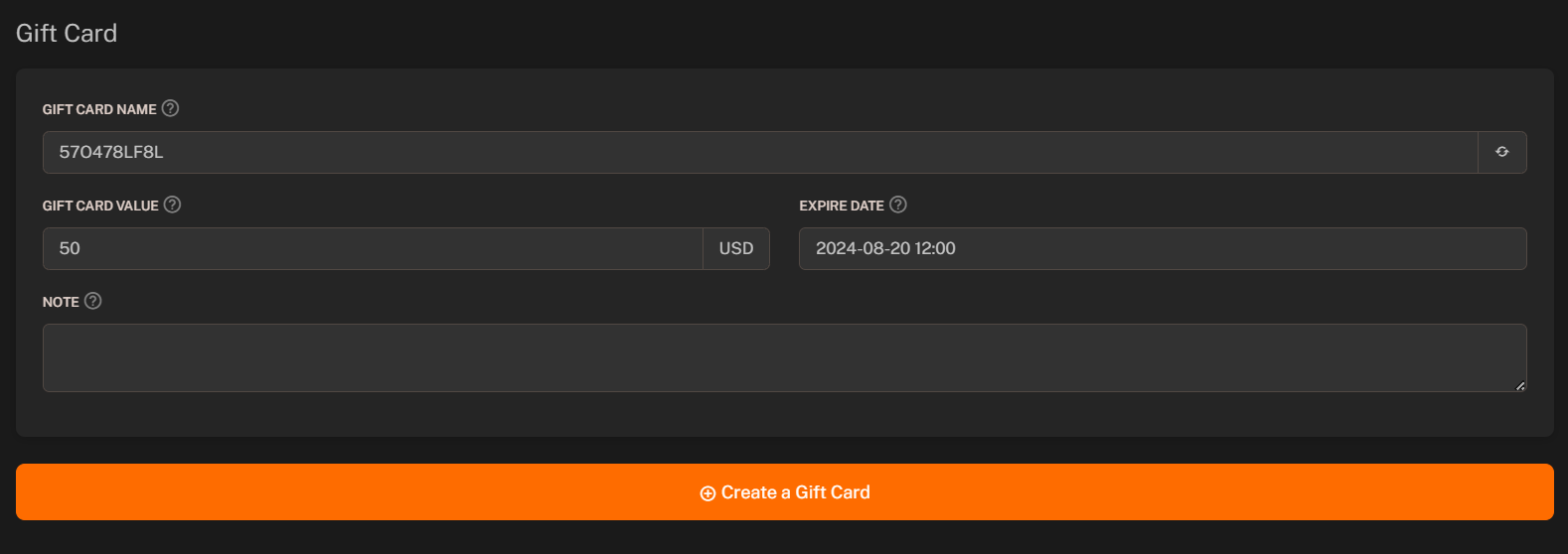 ### Gift Card Name (Identifier)
You can set the **name** of the gift card. The name of the gift card will be used to identify the gift card during **checkout** process.
### Gift Card Value
You can set the **value** of the gift card. The value of the gift card will be stored on the gift card and can be used by the customer to purchase products from your store.
### Expire Date
You can set the **expire date** of the gift card. The gift card will be **invalidated** after the expiration date.
The gift card will be **invalidated** after the expire date based on the **Server Time** and **MySQL Time**.
### Note
You can set the **note** for the gift card. The note will be displayed to admin only and will not be visible to the customer.
## Selling a Gift Card
You can sell the gift card to your customers. The customer will receive an email with the gift card details after the purchase.
There are **two guides** to help you with the **selling of gift card**:
Here is detailed guide on how to configure SMTP to send emails to your customers.
Here is detailed guide on how to configure package to sell the gift card.
You need to have **SMTP** configured to send the gift card email to the customer.
### Gift Card Name (Identifier)
You can set the **name** of the gift card. The name of the gift card will be used to identify the gift card during **checkout** process.
### Gift Card Value
You can set the **value** of the gift card. The value of the gift card will be stored on the gift card and can be used by the customer to purchase products from your store.
### Expire Date
You can set the **expire date** of the gift card. The gift card will be **invalidated** after the expiration date.
The gift card will be **invalidated** after the expire date based on the **Server Time** and **MySQL Time**.
### Note
You can set the **note** for the gift card. The note will be displayed to admin only and will not be visible to the customer.
## Selling a Gift Card
You can sell the gift card to your customers. The customer will receive an email with the gift card details after the purchase.
There are **two guides** to help you with the **selling of gift card**:
Here is detailed guide on how to configure SMTP to send emails to your customers.
Here is detailed guide on how to configure package to sell the gift card.
You need to have **SMTP** configured to send the gift card email to the customer.