> ## Documentation Index
> Fetch the complete documentation index at: https://docs.minestorecms.com/llms.txt
> Use this file to discover all available pages before exploring further.
# Featured Deals
> You can create and manage featured deals to showcase packages on the home page.
## Introduction
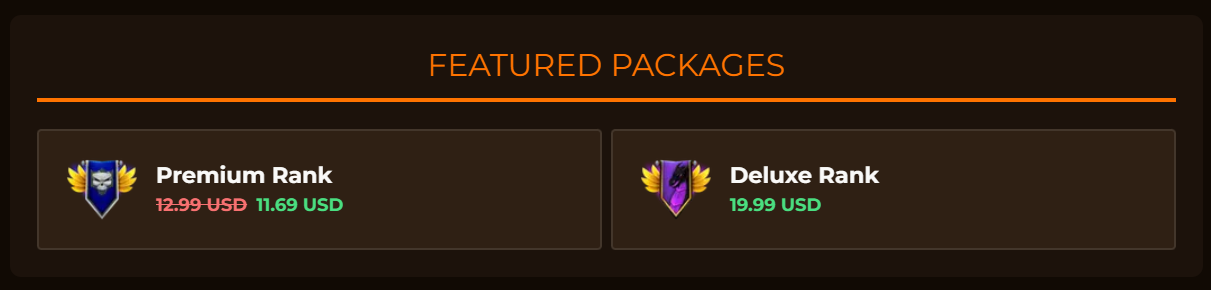
**Featured Deals** are a great way to showcase packages on the home page. You can create **featured deals to highlight packages** and offer discounts to your customers. The featured deals will be displayed on the **home page** of your webstore.
 ## Configuring Featured Deals
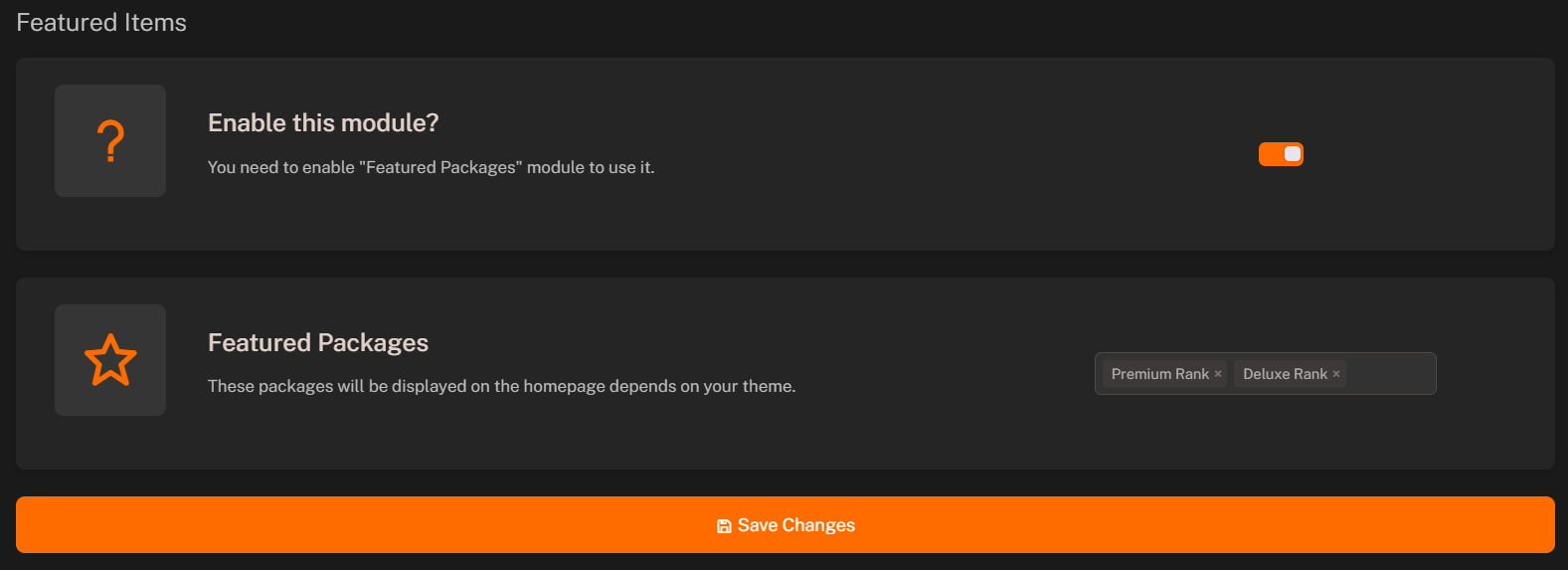
1. **Go to Featured Deals**: Go to the **Featured Deals** tab in the sidebar.
2. **Enable Module**: Enable the **Featured Deals** module.
3. **Select Packages**: Select the packages you want to showcase as featured deals from the **dropdown**.
4. **Save Changes**: Click on the **Save** button to save the featured deals.
## Configuring Featured Deals
1. **Go to Featured Deals**: Go to the **Featured Deals** tab in the sidebar.
2. **Enable Module**: Enable the **Featured Deals** module.
3. **Select Packages**: Select the packages you want to showcase as featured deals from the **dropdown**.
4. **Save Changes**: Click on the **Save** button to save the featured deals.