> ## Documentation Index
> Fetch the complete documentation index at: https://docs.minestorecms.com/llms.txt
> Use this file to discover all available pages before exploring further.
# Patrons
> Patrons Module allows you to make a page for your patrons to display their names and avatars.
## Introduction
This is a **new feature** that was added in **MineStoreCMS v3.3.5**.
The **Patrons Module** allows you to make a page for your **patrons** to display their **names and avatars**. You can create a **dedicated page** for your patrons to show appreciation and encourage more users to become patrons.
It helps you to show appreciation to your **patrons and encourage more users to become patrons**.
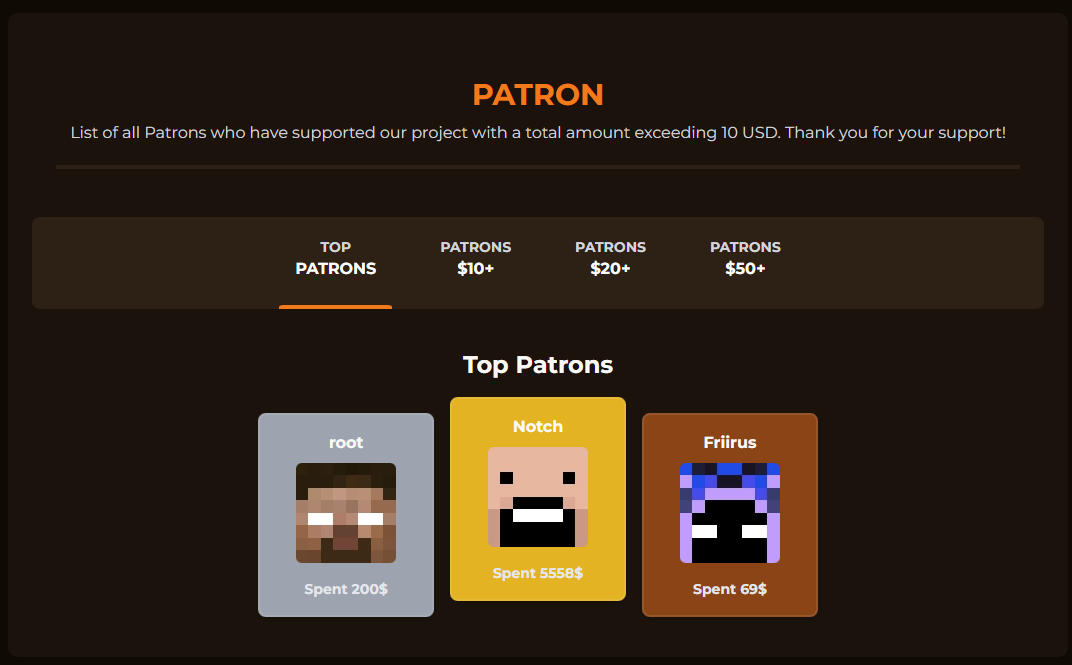 **MineStoreCMS** supports the **Patrons Module** since version **3.3.5**. You need also have a compatible components of the template (default theme includes it by default).
## Enabling the Patrons Module
To configure the **Patrons Module**, follow the steps below:
1. Log in to your **Admin Panel**.
2. Go to the **Patrons** tab.
3. Toggle the **Enable this module** switch to enable the Patrons Module on your webstore.
**MineStoreCMS** supports the **Patrons Module** since version **3.3.5**. You need also have a compatible components of the template (default theme includes it by default).
## Enabling the Patrons Module
To configure the **Patrons Module**, follow the steps below:
1. Log in to your **Admin Panel**.
2. Go to the **Patrons** tab.
3. Toggle the **Enable this module** switch to enable the Patrons Module on your webstore.
 **Note**: It could take up to **1 minute** to enable the **Patrons Module** since it needs to cache new **settings data**.
## Extra Settings
You can configure the following settings for the **Patrons Module**:
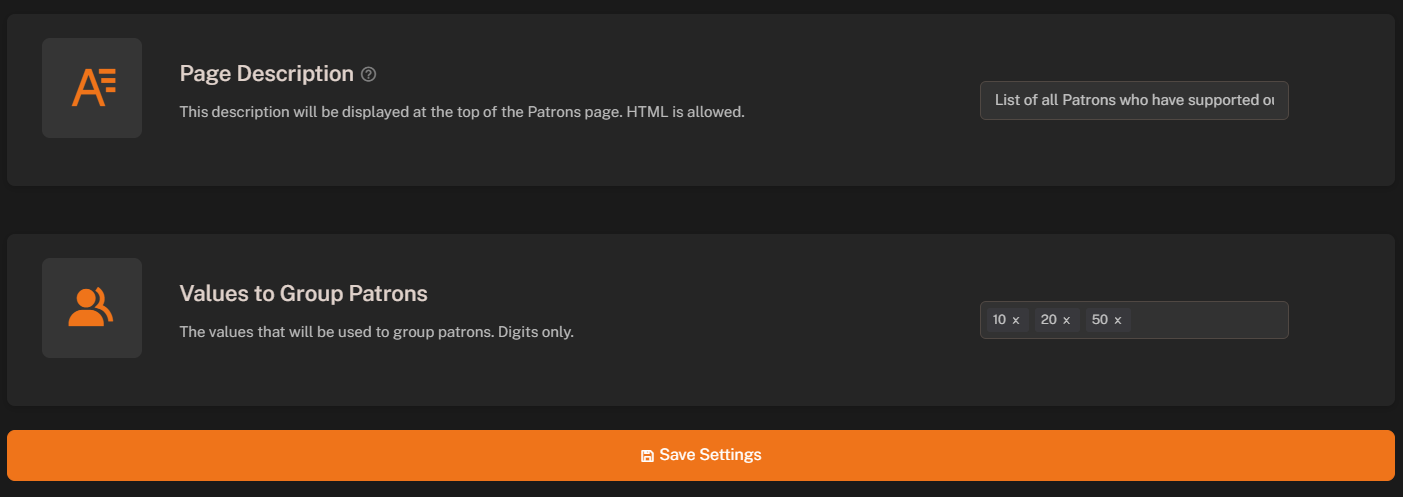
* **Description**: Enter a description for the **Patrons Module** (supports HTML).
* **Values to Display**: Select the values to group **Patrons** by donation amount value (separate by comma).
**Note**: It could take up to **1 minute** to enable the **Patrons Module** since it needs to cache new **settings data**.
## Extra Settings
You can configure the following settings for the **Patrons Module**:
* **Description**: Enter a description for the **Patrons Module** (supports HTML).
* **Values to Display**: Select the values to group **Patrons** by donation amount value (separate by comma).
 **Note**: It takes **up to 5 minutes** to update **new patrons** after purchase.
## Where to Find the Patrons Page?
The **Patrons Page** is available at the following URL:
```
https://store.yourdomain.com/patrons
```
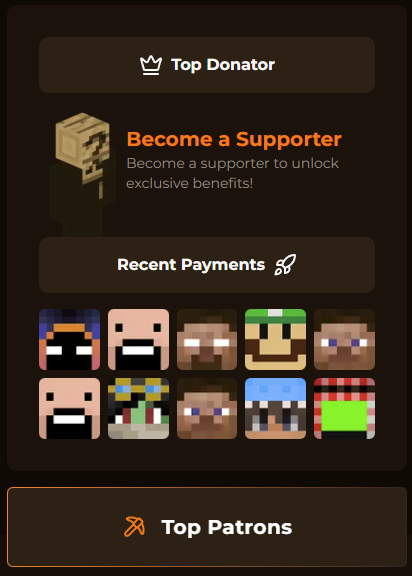
Also it is being displayed at the **footer** and below the **Recent Donations** section of the **Default Theme**:
**Note**: It takes **up to 5 minutes** to update **new patrons** after purchase.
## Where to Find the Patrons Page?
The **Patrons Page** is available at the following URL:
```
https://store.yourdomain.com/patrons
```
Also it is being displayed at the **footer** and below the **Recent Donations** section of the **Default Theme**: