> ## Documentation Index
> Fetch the complete documentation index at: https://docs.minestorecms.com/llms.txt
> Use this file to discover all available pages before exploring further.
# PayPal IPN
> You can configure the PayPal IPN settings to receive instant payment notifications for successful transactions.
## Introduction
Recommended payment gateway that support all features. You can configure the **PayPal IPN** settings to receive instant payment notifications for successful transactions. It allows you to **automatically process payments** and update the player's account in real-time. You can enable the **PayPal IPN** feature to receive notifications for successful transactions and update the player's account with the purchased packages.
## How to Configure PayPal IPN
#### Step 1: Enable PayPal IPN Payment Gateway
1. Go to the **Settings > Payment Gateways** tab in the sidebar.
2. Scroll down to the **PayPal IPN** section.
3. **Enable** the **PayPal IPN** option.
4. Enter the **PayPal Email** to receive payments.
5. Disable **Sandbox Mode**.
6. **Save Changes**.
### Step 2: Configure PayPal IPN Settings
1. Log in to your **PayPal account**.
2. Navigate to your **Account Settings** page.
3. In the **Account Settings** page, click the **Website Payments** under Products and Services.
4. Click Update link under the **Instant payment notifications** option.
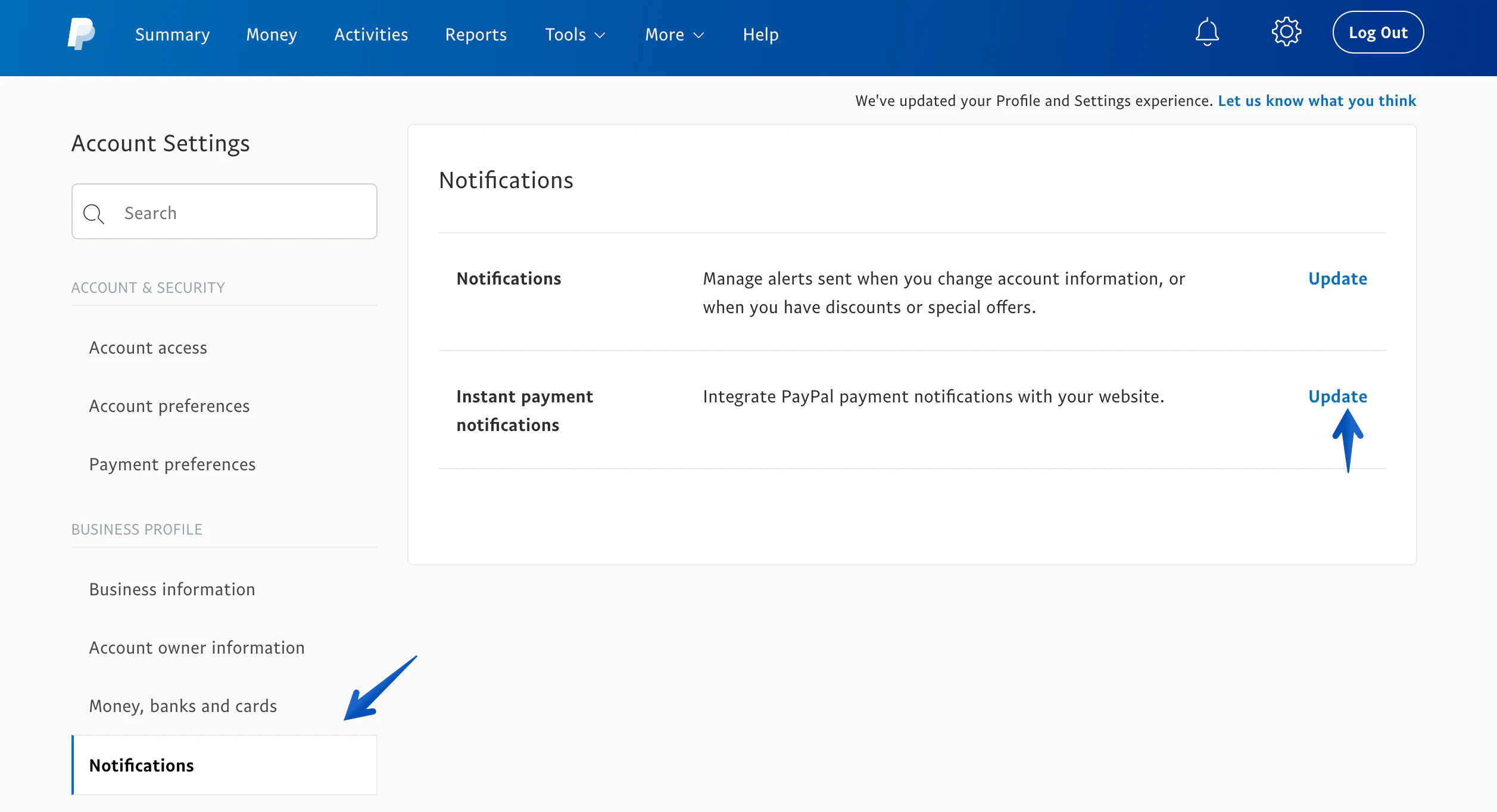 5. Click Choose **IPN Settings** button to specify your listener’s URL and activate the listener.
6. Enable **Receive IPN messages (Enabled)**.
7. Enter the IPN URL from your **webstore dashboard**.
8. Click **Save** to save the IPN settings.
Do not use enable **SandBox** mode for **PayPal IPN**. You need to have **sandbox** credentials to use the sandbox mode.
5. Click Choose **IPN Settings** button to specify your listener’s URL and activate the listener.
6. Enable **Receive IPN messages (Enabled)**.
7. Enter the IPN URL from your **webstore dashboard**.
8. Click **Save** to save the IPN settings.
Do not use enable **SandBox** mode for **PayPal IPN**. You need to have **sandbox** credentials to use the sandbox mode.