> ## Documentation Index
> Fetch the complete documentation index at: https://docs.minestorecms.com/llms.txt
> Use this file to discover all available pages before exploring further.
# Promoted Packages
> You can choose packages to promote during the checkout process with special discounts to increase sales and revenue.
## Introduction
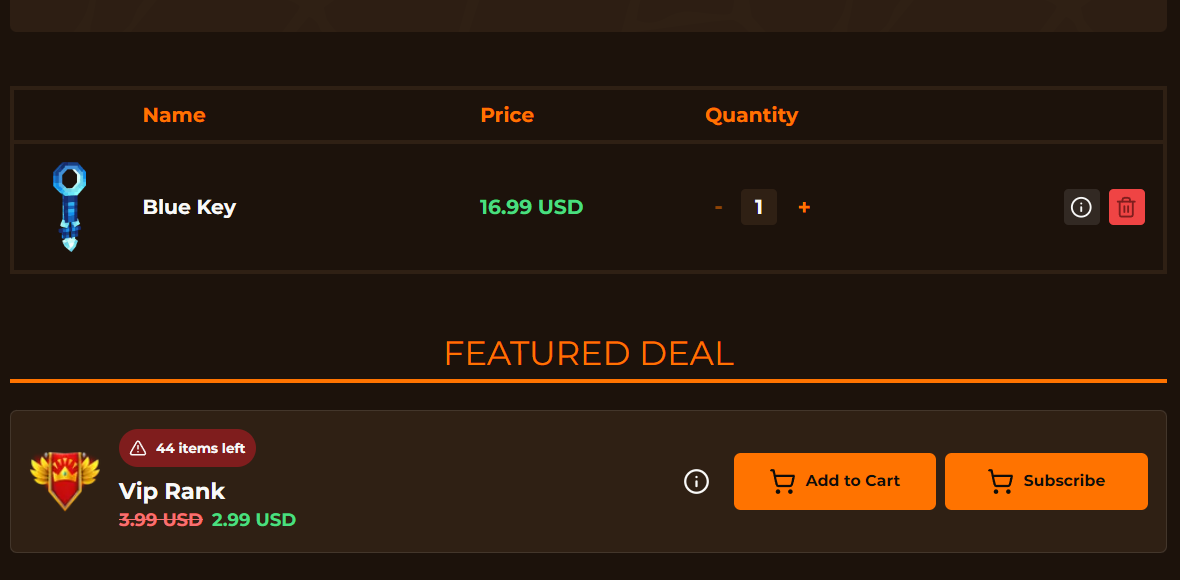
**Promoted Packages** are a great way to increase sales and revenue by offering special discounts on packages during the checkout process. You can choose packages to promote and offer discounts to your customers. The promoted packages will be displayed on the **checkout page** of your webstore. It encourages customers to purchase more packages and increases your revenue.
 ## Adding Promoted Package
Go to the **Promoted Packages** tab in the sidebar.
Enable the **Promoted Packages** module.
Click on the **Create a Promoted Package** button to add a new promoted package.
Select the package you want to promote from the **dropdown**.
Set special **discount** price for the promoted package.
Click on the **Save** button to save the promoted package.
## Adding Promoted Package
Go to the **Promoted Packages** tab in the sidebar.
Enable the **Promoted Packages** module.
Click on the **Create a Promoted Package** button to add a new promoted package.
Select the package you want to promote from the **dropdown**.
Set special **discount** price for the promoted package.
Click on the **Save** button to save the promoted package.