> ## Documentation Index
> Fetch the complete documentation index at: https://docs.minestorecms.com/llms.txt
> Use this file to discover all available pages before exploring further.
# Currency Management
> Manage the primary and additional currencies for your webstore to make your customers experience more convenient.
## Introduction
The **Currency Management** section allows you to manage the primary and additional currencies for your webstore. You can set the primary currency for your webstore and add additional currencies to make the shopping experience more convenient for your customers.
The primary currency is used for displaying prices on your webstore. Additional currencies can be used to show prices in multiple currencies, allowing customers to view prices in their preferred currency.
## How to Access Currency Management?
1. Log in to your **Admin Panel**.
2. Navigate to the **Settings** tab.
3. Click on the **Currency Management** sub-tab.
## Currency Management Overview
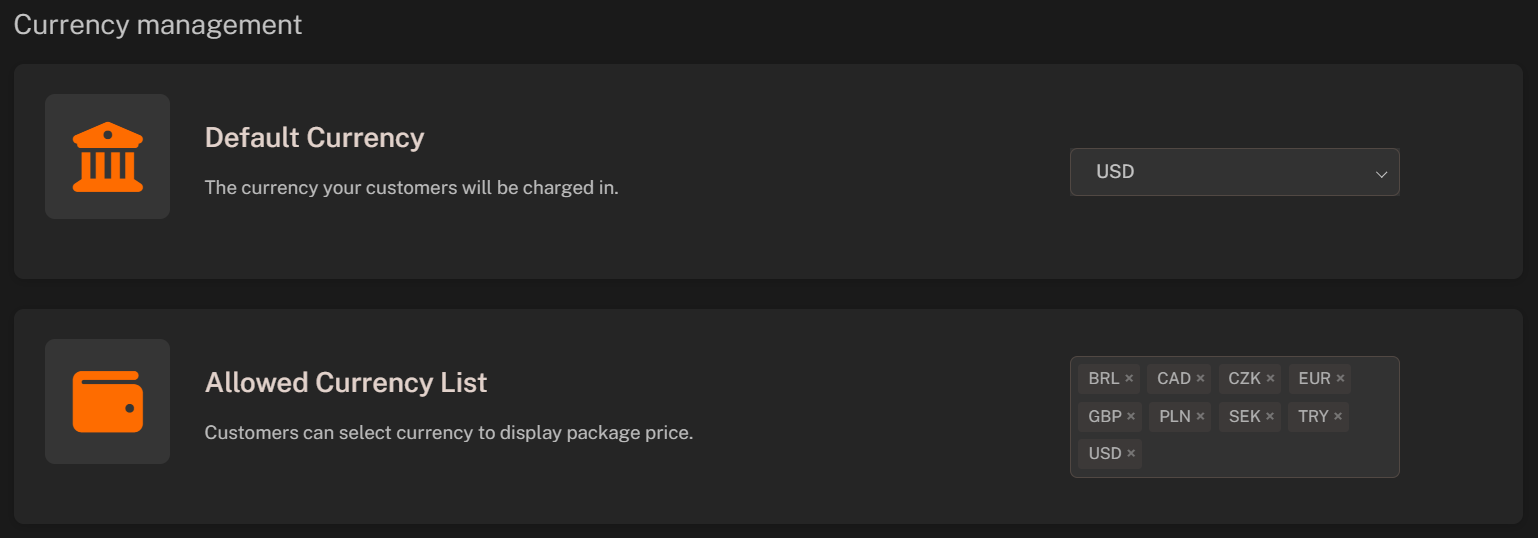
1. **Default Currency**: Set the primary currency for your webstore. This currency will be used to display prices on your webstore.
2. **Allowed Currency List**: Add additional currencies to allow customers to view prices in multiple currencies. Customers can switch between currencies using the currency switcher on the webstore.