> ## Documentation Index
> Fetch the complete documentation index at: https://docs.minestorecms.com/llms.txt
> Use this file to discover all available pages before exploring further.
# Taxes
> Create and collect taxes from your customers based on their location.
## **Introduction**
**Taxes** feature allows you to **create and collect taxes** from your customers based on their location by **adding percent to the final price**. You can set up tax rates for different regions and apply them to your **packages**. Taxes are automatically calculated based on the **customer's location** and the **tax rates** you have set up.
**Taxes** are **automatically calculated** based on the customer's location and the tax rates you have set up based on the **IP address of the customer**.
## **Setting Up First Tax**
To set up your first tax, follow the steps below:
Click on the **Admin Panel**.
Click on the **Taxes** tab to access the tax management area.
Press the **+ New Tax** button.
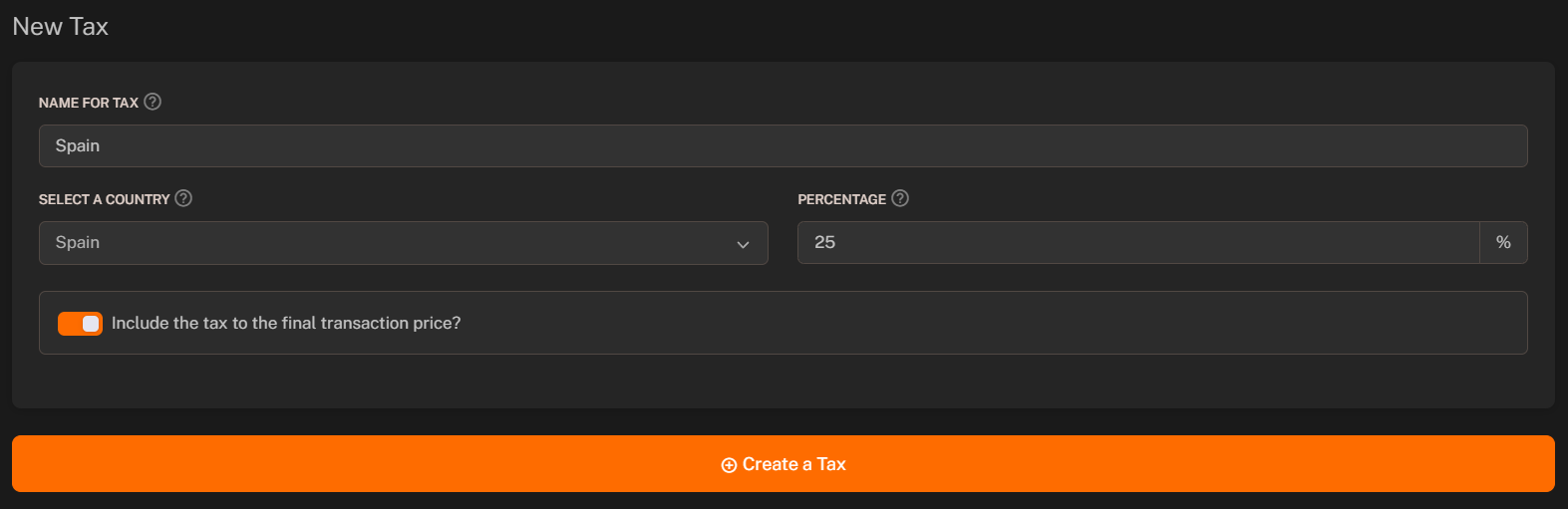
Fill in the required fields:
* **Name for tax**: Enter the name of the tax.
* **Country**: Select the country for which the tax applies.
* **Percentage**: Set the percentage of the tax.
* **Include in price**: Toggle to include the tax in the final price depending on your preference.
Click on the **Save** button to save the changes.