> ## Documentation Index
> Fetch the complete documentation index at: https://docs.minestorecms.com/llms.txt
> Use this file to discover all available pages before exploring further.
# Manual Payments
> Create Manual Payments for your customers to pay for their orders.
## **Creating Manual Payment**
1. Go to the **Admin Panel**.
2. Click on the **Transactions** tab to access the transaction management area.
3. Press the **+ Add Manual Payment** button.
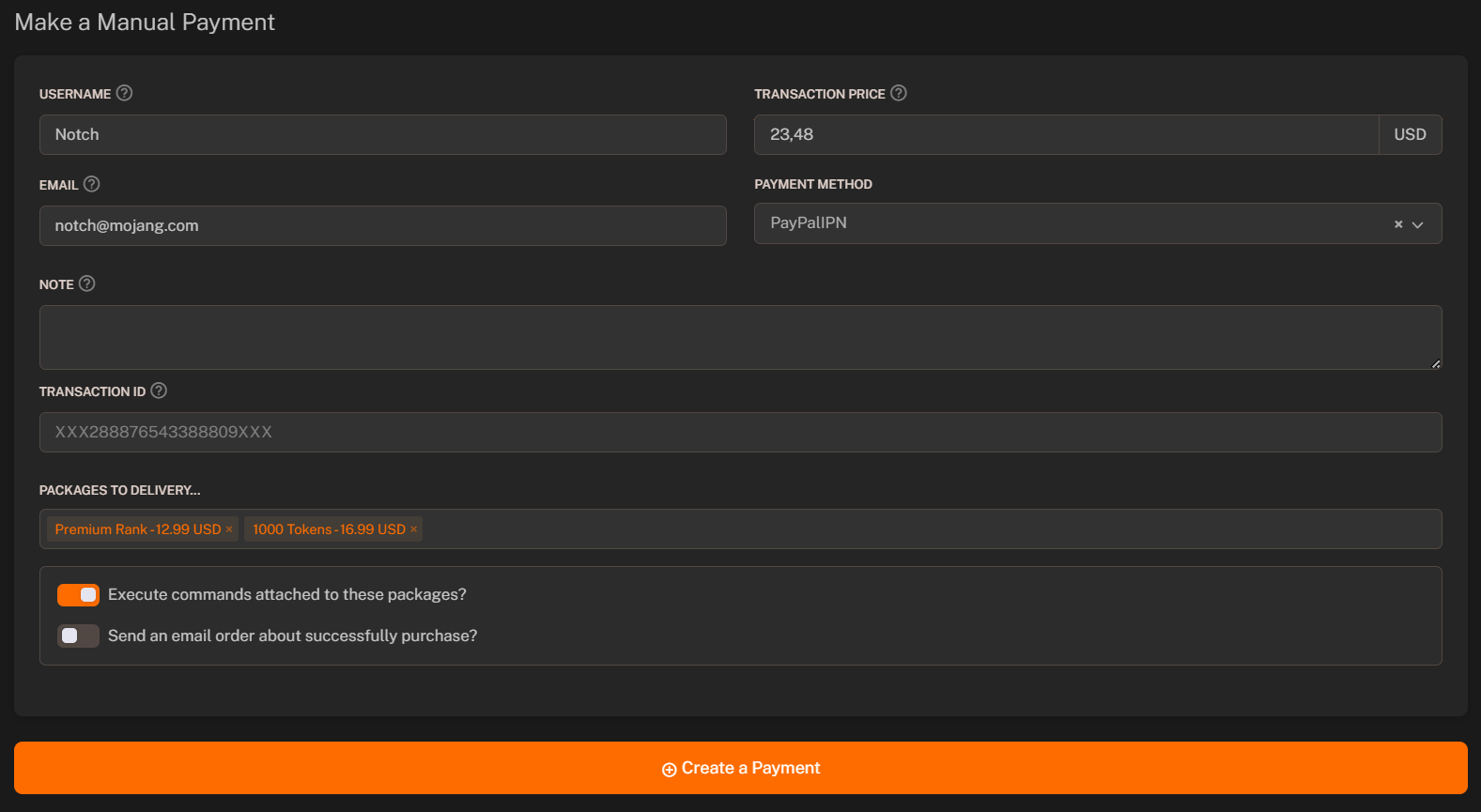
4. Fill in the required fields:
* **Username**: Enter the username of the customer.
* **Transaction Price**: Set the amount that transaction will be made.
* **Description**: Enter a description for the manual payment.
* **Email**: Enter the email of the customer.
* **Payment Method**: Select the payment method for the manual payment.
* **Note** (`optional`): Add any additional notes for the manual payment.
* **Transaction ID** (`optional`): Enter the transaction ID for the manual payment.
5. Select **Packages To Deliver**.
6. Toggle the **"Execute commands attached to selected packages"** in case you want to execute commands after the payment is made.
7. Toggle the **"Send email to the customer"** in case you want to email the customer.
8. Press the **+ Create a Payment** button.
 Learn more about the Transactions module.